Pricing Details in the Billing Report export
Along with the different improvements on price rules and flexibility on price management, it might become hard to trace it back from billing.
When you get your billing for the month, you might want to backtrack for each billing line - what is the specific pricing set for this? Was this the price committed on global level or customer-specific level? Or was this a one-time deal set on that particular subscription?
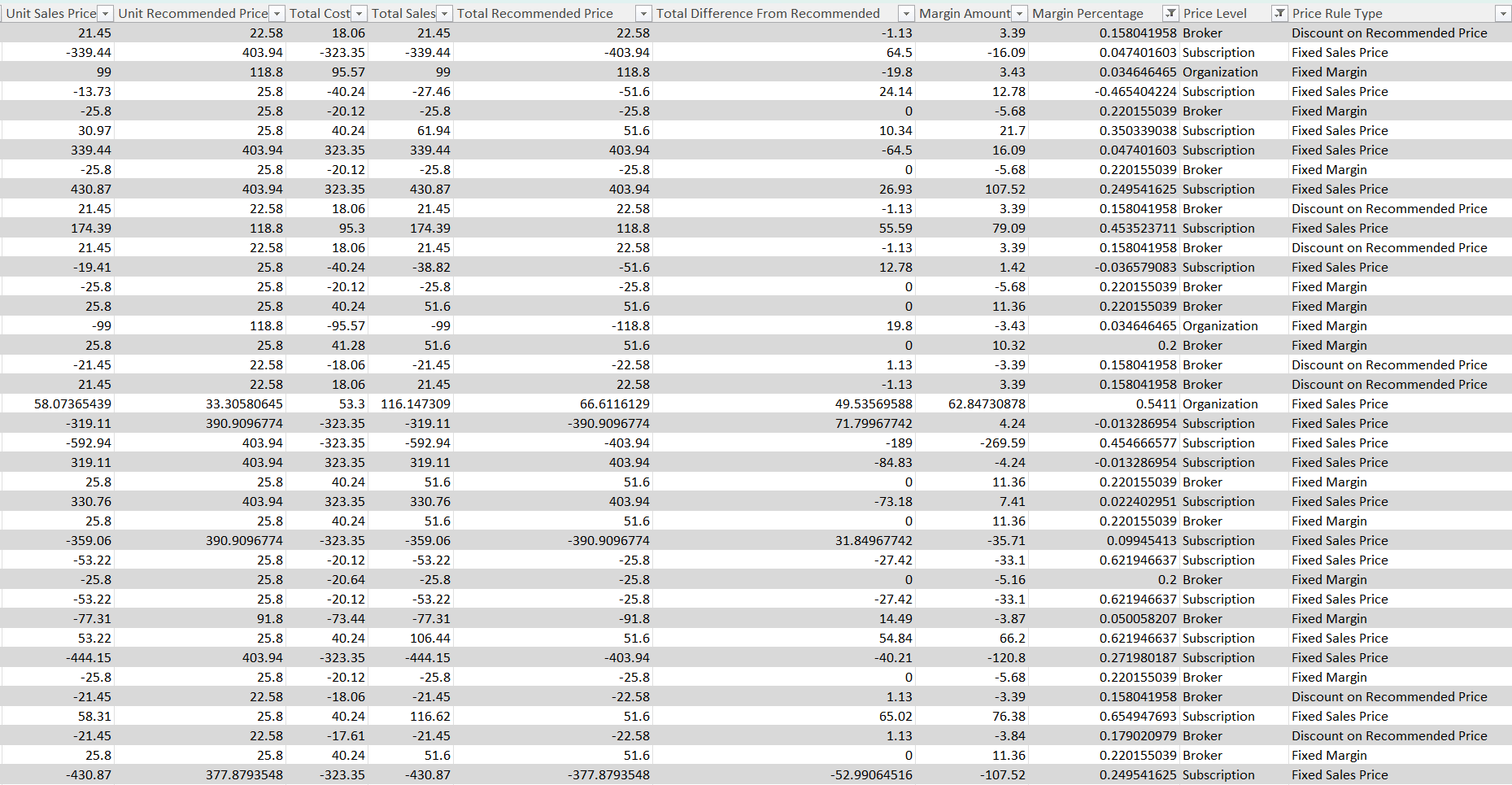
To address these questions, we have added “Pricing Details” in the Additional data section for exports.
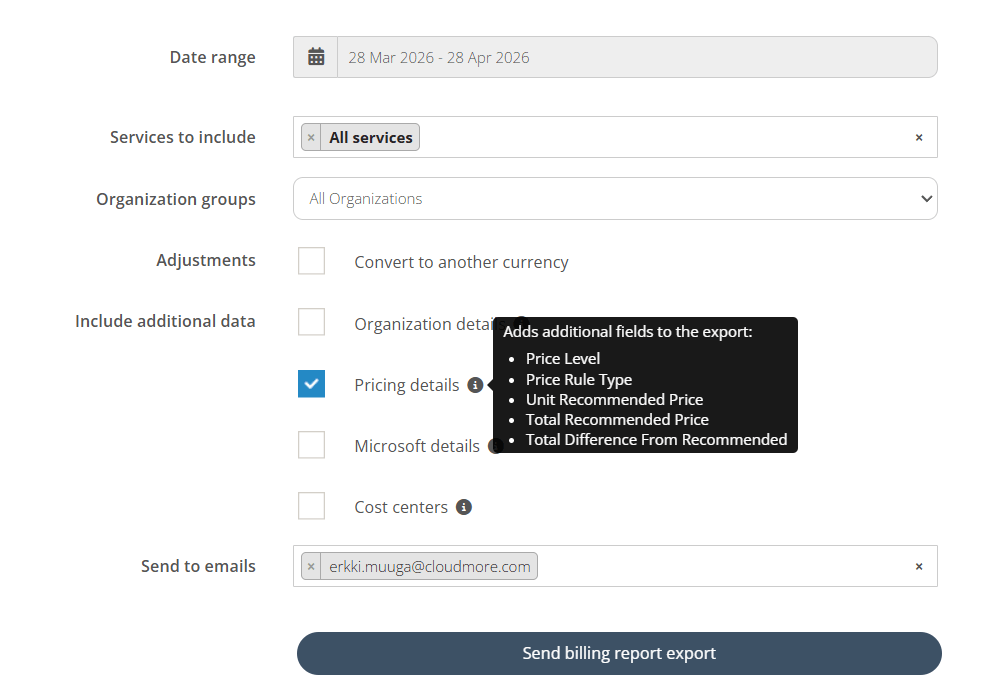
When checked, it includes several fields into your Billing Report export.
Read more about the additional pricing fields here
Export example with additional fields:
This granularity on the billing line level allows you to unlock several use cases by aggregating the Total Difference from Recommended. For example:
- How much total discount have I given to this subscription over its lifetime?
- How much total discount have I given to this customer this month? over 3 months?
- How much total discount have I given on this product across all customers?
- How much total discount has this cost center received?
This information can be extracted for 1 month, 3 months, 6 months, a year, or any time period you select when exporting the Billing Report.
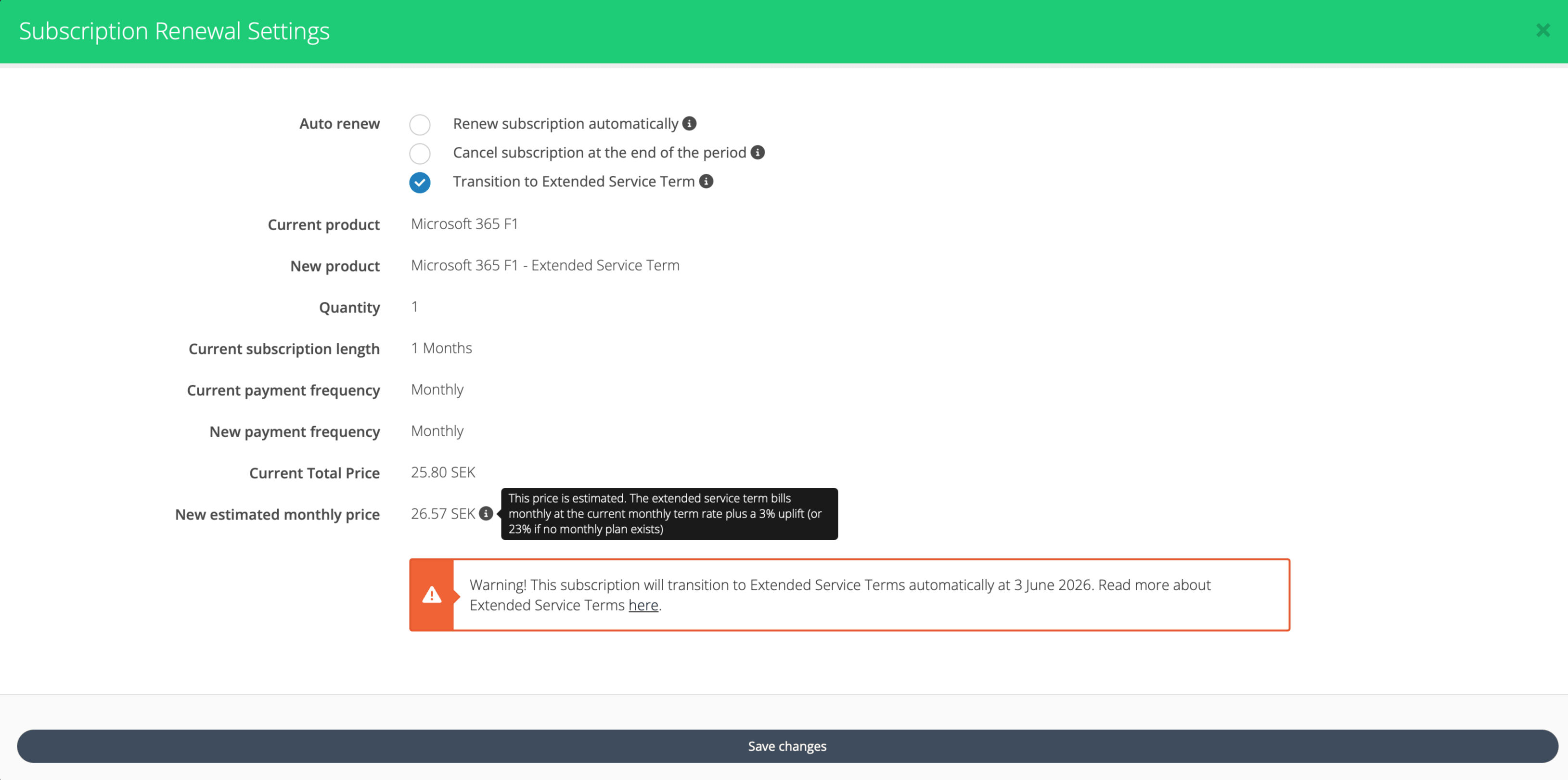
Microsoft Extended service terms renewal setting
With Microsoft going fully live with Extended service terms we’ve added capabilities in the platform that allows you to stay on top of managing renewal settings in this new context.
The new options in combination with peripheral capabilities allow you to decide according to Microsoft's new end-of-term paths, keeping you and your customers aligned with Microsoft standards, as well as catering for a predictable future states and easily identifiable current states.
Approval Triggers & Requests Management improvements
The approval process functionality enables you to roll out customer self-service with confidence.
Cloudmore has rich self-service and branding capabilities. Superior to any competing platforms. So, we strongly recommend you utilize it to get the most benefits out of the platform.
This month, we have improved several aspects of the approvals management functionality around navigation, permissions, flexibility and visibility.
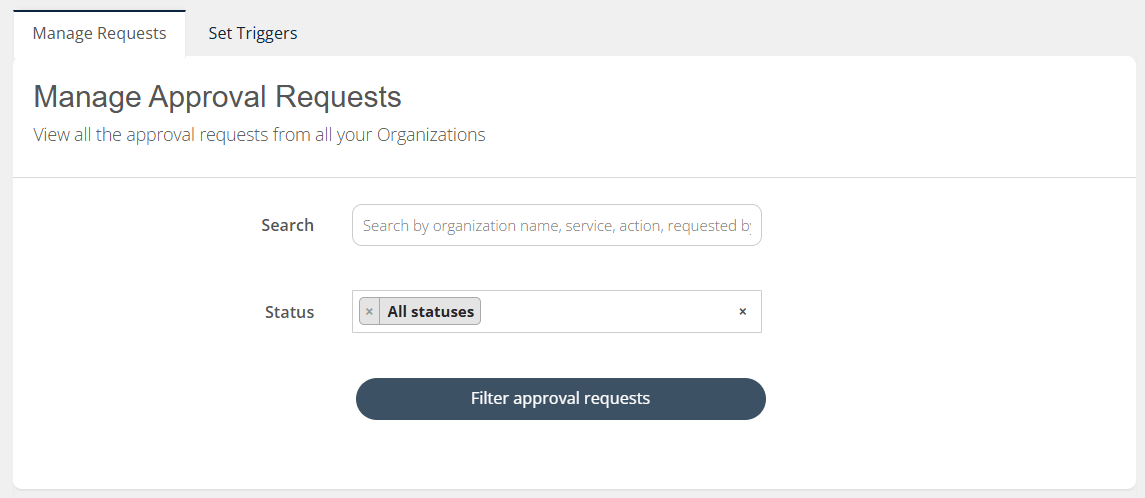
First of all, the Approval Triggers and Approval Requests are now on one page, in 2 separate tags, under the “Manage Organizations”.
Manage Requests tab - this allows you to filter through all the approval requests. Search by customer, service, action or request status. The new requests are always on top for better visibility.
Additionally, Key Account Managers are now able to access the approval requests of Organizations assigned to them. This gives an excellent overview and visibility over each customer.
Read more about managing approval requests
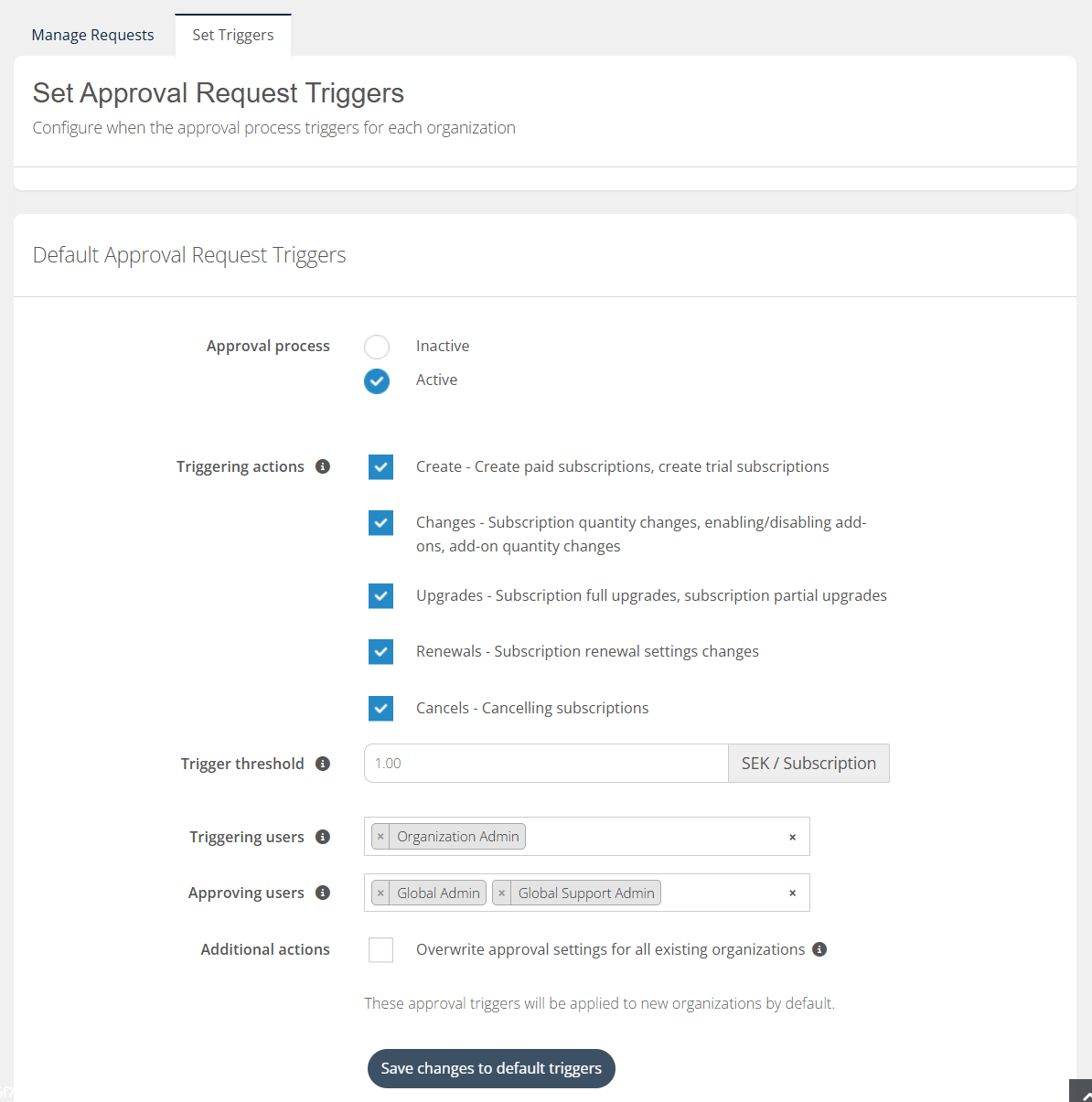
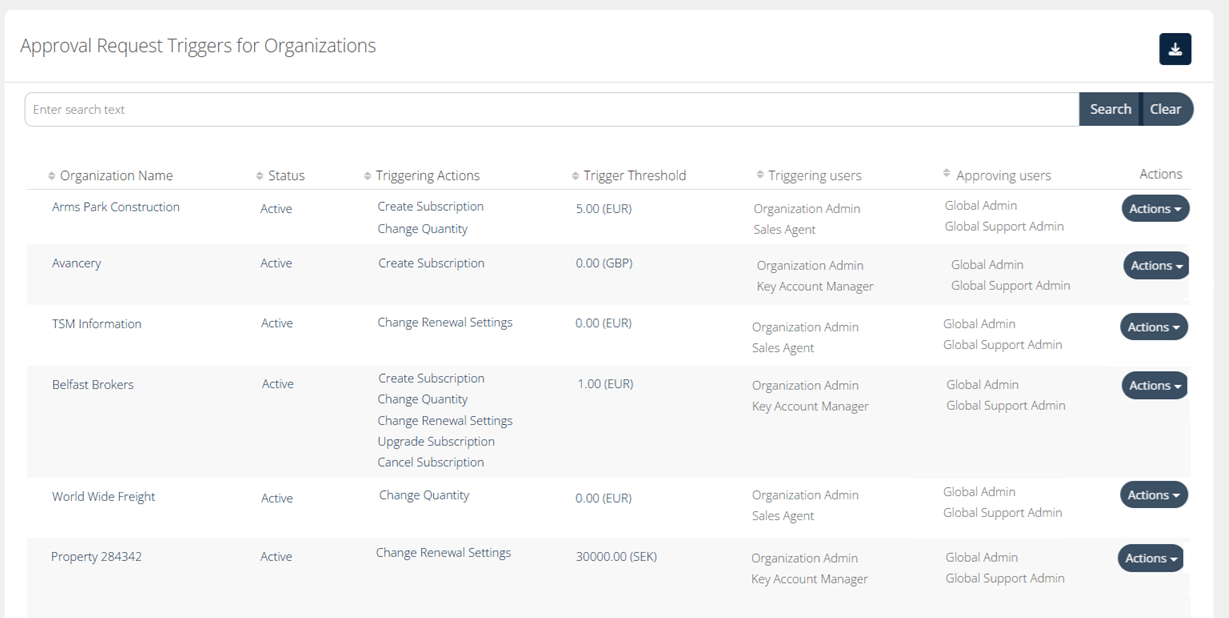
Set Triggers tab - this allows you to configure the approval request triggers to each customer. You can also change the default approval settings, which would be applied when creating Organizations.
Triggering users - You are now able to set specific user role whose actions would trigger the approval process. This includes your internal users as well. For example, you can add Key Account Managers and Sales Agents as part of triggering users. This means that if any of these roles perform any of the triggering actions, the normal approval process flow would fire off.
Approving users - You can now also individually configure the user roles who have the permissions to approve the approval requests. This automatically includes the Super Admin role, but you can also add Global Admin, Global Support Admin and even Key Account Manager roles.
When there is an overlap of roles on both, that actually means they can do both. For example, Key Account Manager can be triggering the approval process, but they are also part of the group who approves. That means they can approve other approval requests, but not their own. Allowing for the use case of review of 2 people.
Key Account Managers can set configure the approval triggers for the Organizations that are assigned to them. Additionally, they have a clear overview of which triggers have been applied to each Organization under their management.
The triggering and approving users can be configured for each Organization individually. Additionally, the table provides excellent visibility around all the triggers and related roles.
Read more about setting approval triggers
Price Rules adjustments for more flexibility
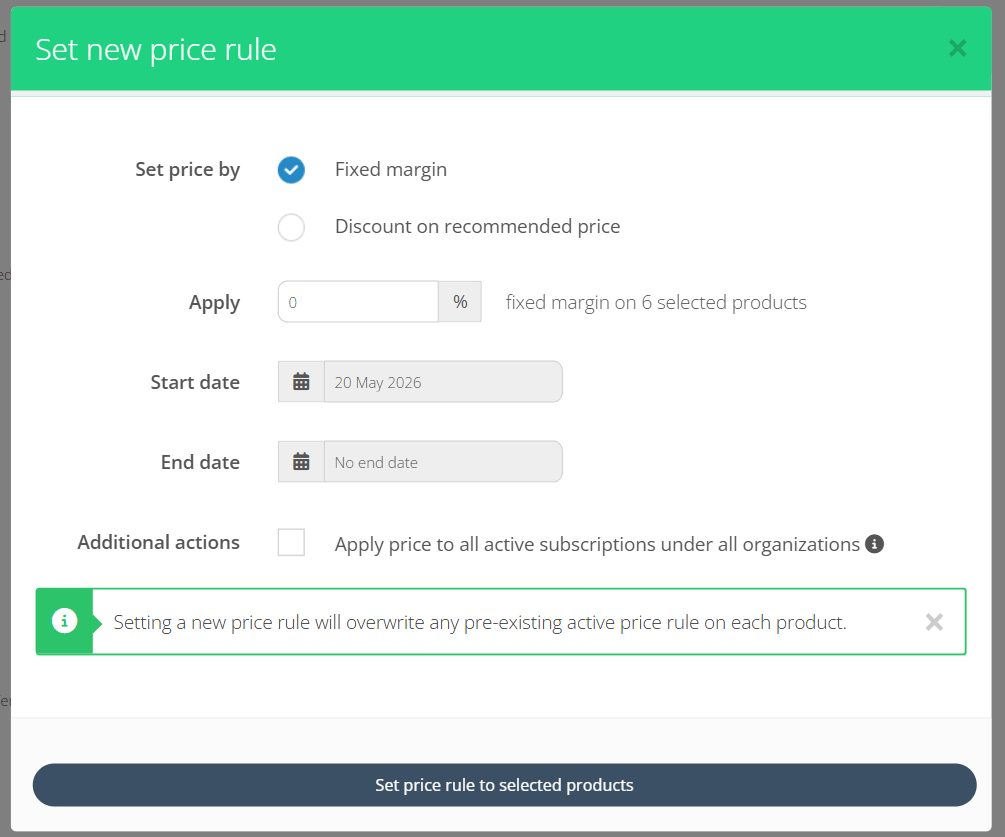
When setting Fixed Margin and Discount on MSRP price rules, there might be cases where you really want to pamper your customers. For example, you might want to even sell subscription with 0% margin. In some cases, maybe even with negative margin, for the sake of the long term partnership.
This is now possible in Cloudmore when you set Price Rules.
Left side menu consistency
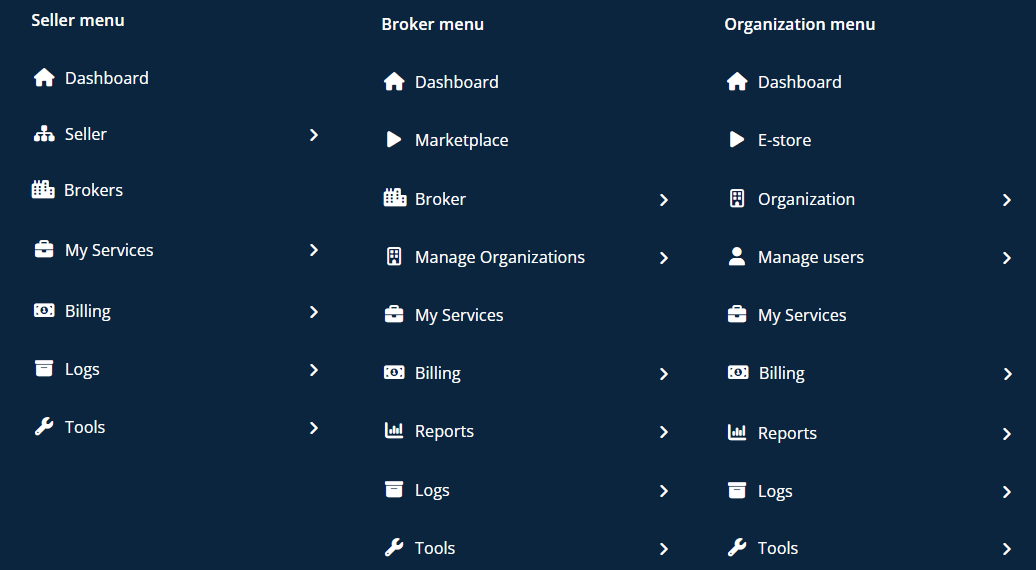
Another user interface consistency improvement we have taken is to unify the menu structure across Broker, Organization and Seller levels.
The order of menu items are more consistent across levels, as well as share same icons for same menu items.
As we are preparing the Seller level for more global multi-broker tenant management, this is an improvement in user experience.
Share this
You May Also Like
These Related Stories

Platform Update | September 2025

Platform Update | February 2026