Platform Update | April 2026

2 min read
April 30, 2026

Creating NCE subscriptions processed in the background

One of the most tedious hurdles for customer self-service have been the waiting time for the NCE subscriptions to be processed. Having to wait around 30 seconds for the subscriptions to be created on Microsoft side has caused a lot of slowness and sub-optimal user experience on the platform. 

To improve this, we have now changed the way NCE subscriptions are processed in a different way from technical perspective. 

Before, the Cloudmore platform was always waiting for a confirmation from Microsoft side that the subscriptions has indeed been created. The downside was that the user was having to sit there and wait for that confirmation. 

Now, the subscription creation window will be closed immediately, and the subscription is processed in the background. 

But rest assured, if there are any issues with creating the subscription, you will be notified and there will be a clear “Error” label next to the subscription. If that happens you can easily Edit and try to Create the subscription again. 
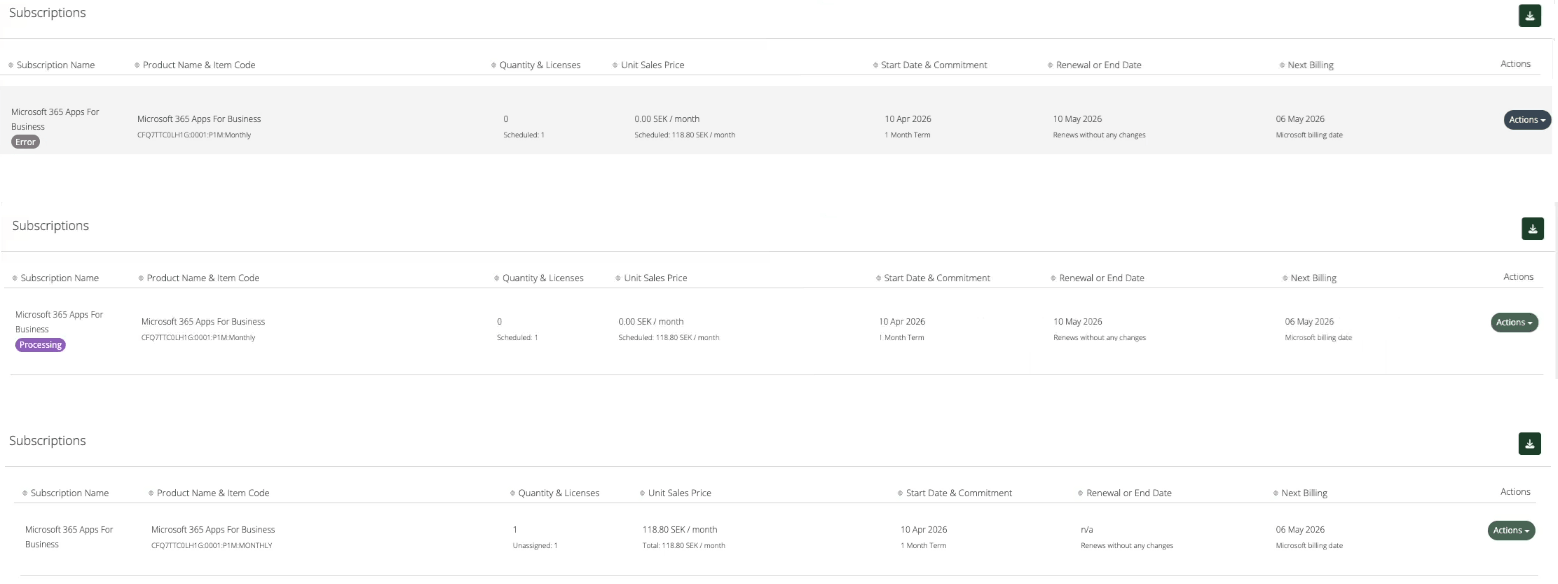
Subscription tags

Furthermore, we have improved the reliability and stability of the subscription creation process. The importance of this reliability is emphasized with scheduled subscription. The subscriptions will be created on a future date, if you have scheduled it to happen. And clear notification, if anything needs further attention. 

Bulk apply price rule to existing subscriptions

Typically, when you create new price rules, the pricing will update on the next subscription renewal. 

This logic is set in this way to protect the ongoing price commitments that you have set with the customers. And any renewals will pick up the new prices. 

However, we realize that sometimes you need more flexibility in this. Sometimes your customers might negotiate new prices to take effect immediately also including their ongoing annual subscriptions. 

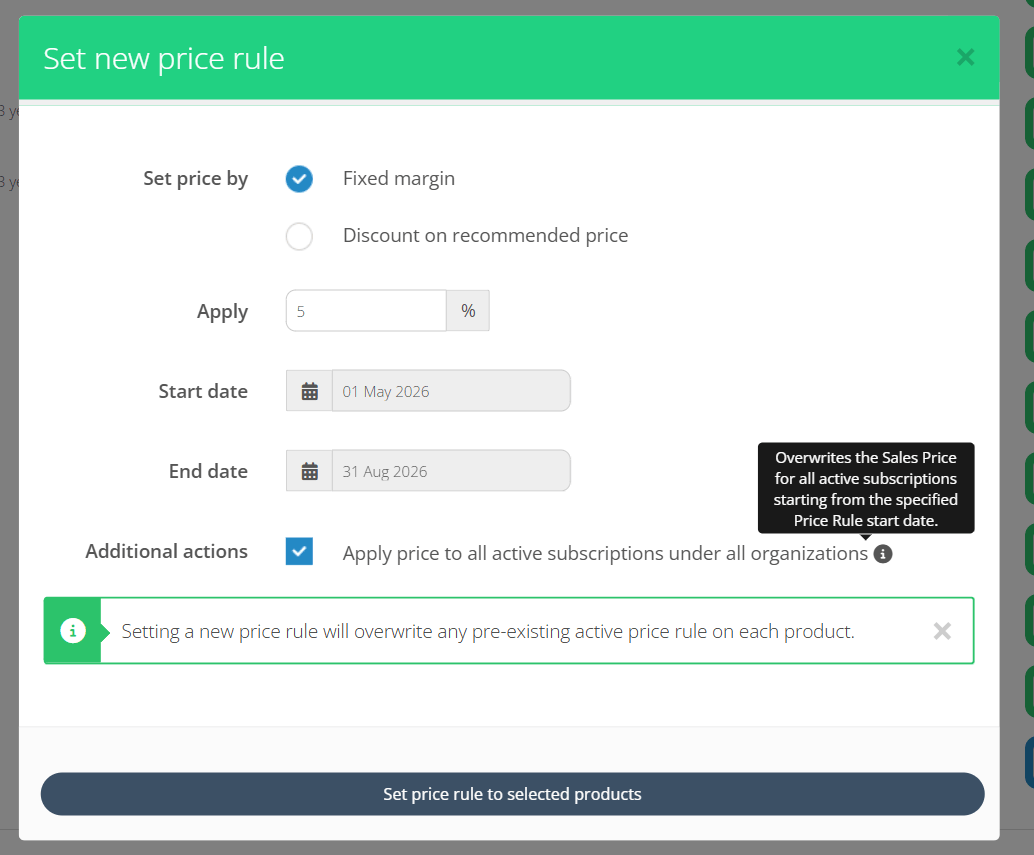
For such cases, we have added an “Additional action” when creating new price rules. 

Price rules additional actions

When this checkbox is checked, depending on the Price List level, then the following action is taken:

  • Broker level - Subscription Price is overwritten for related subscriptions under all organizations
  • Organization level - Subscription Price is overwritten for related subscriptions under this specific organization

This is disabled by default, respecting the ongoing commitment prices. But your now have the ability to override it with this control.

Billing Line Details note for additional billing context

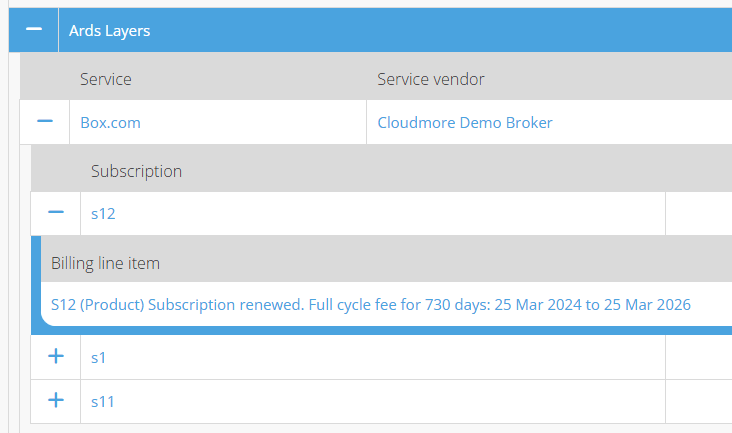
For custom services, the “Billing Line Details” field now includes more granular information about the billing transaction. Whether it was billed for the renewal with a full cycle charge, or for adding additional quantities, or for upgrades. 

Billing line description for custom service subscriptions

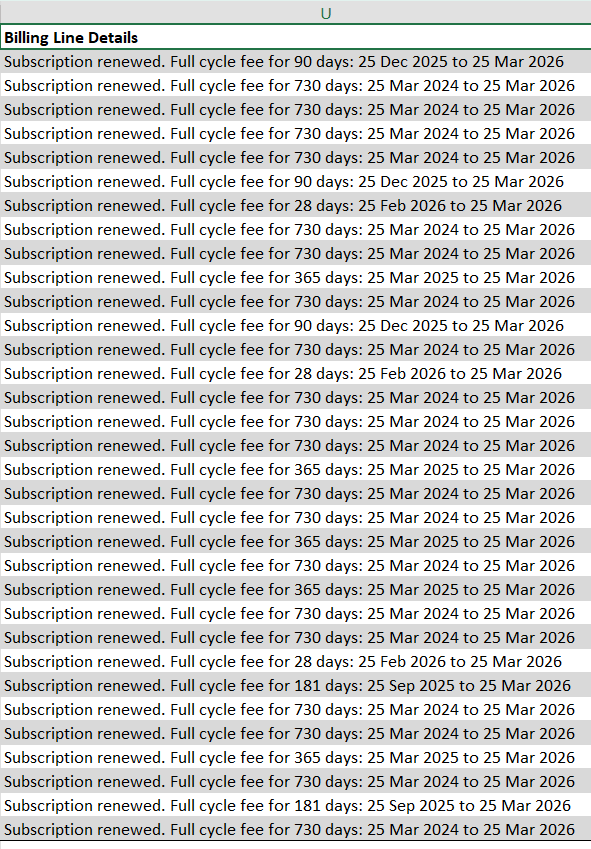
 In the same way, the billing line details are now reflected in the Billing Export as well.  

Billing line details excel

This is now consistent with Billing Line Details for the NCE subscriptions as well.  

Azure services granularity and consistency in Billing Report

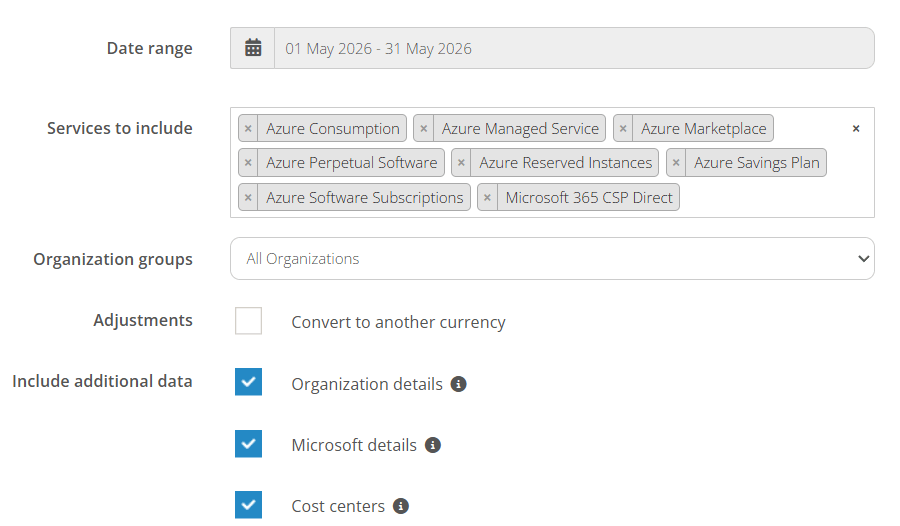
We have further improved the granularity of selecting different Azure models when running or exporting the Billing Report. 

Azure services split in billing report

This granularity is reflected in the export files as well, in order to help you manage the subscriptions in respective categories. 

Branded email flexibility improvements

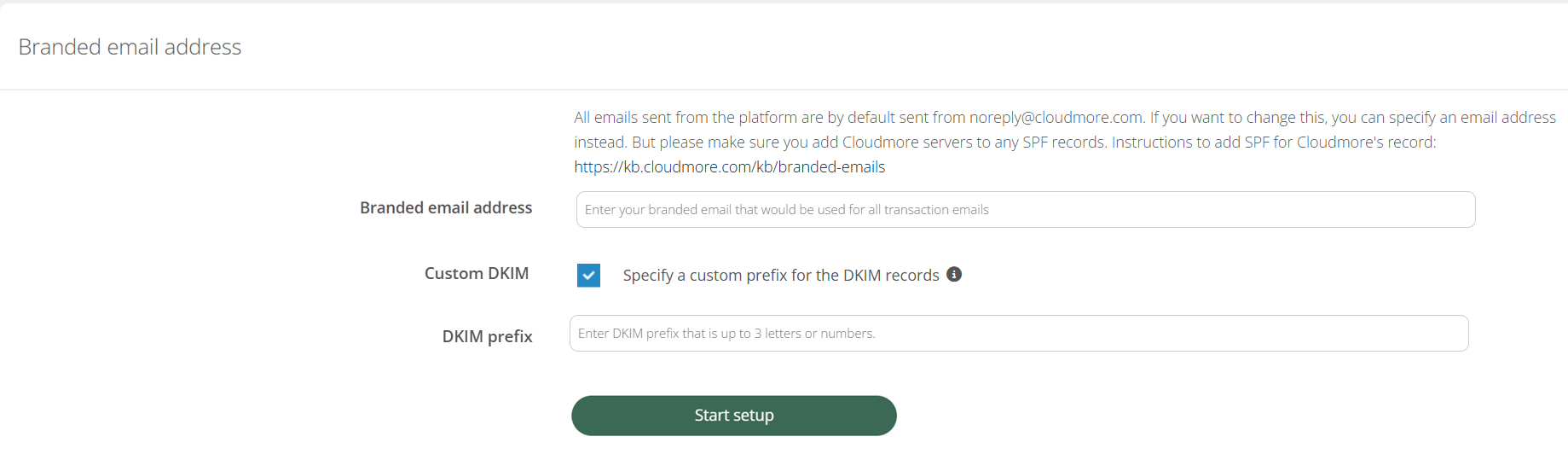
To improve the setup flexibility of the DKIM records for branded emails, we have added the possibility to specify custom DKIM Selector by adding an optional Text Input field.

This allows you to enter DKIM prefix that is up to 3 letters or numbers. You might need this if your main DKIM key is already reserved for other purposes.

custom dkim setup

Get Email Notifications