Platform Update | December 2025

1 min read
December 31, 2025

Specific Start and End dates when setting Fixes Prices

Although, the new Price Rules are far more flexible and more aligned to business pricing strategy, we still have made some flexibility improvements to the Fixes Sales Price setting.

There are still plenty of use cases where the customer might have negotiated a specific sales price for a specific period, or starting from a very specific date.

Instead of just being able to set the Fixed Sales Price from the beginning of a month, you can now set it from any future date. Same applies to the price end date.
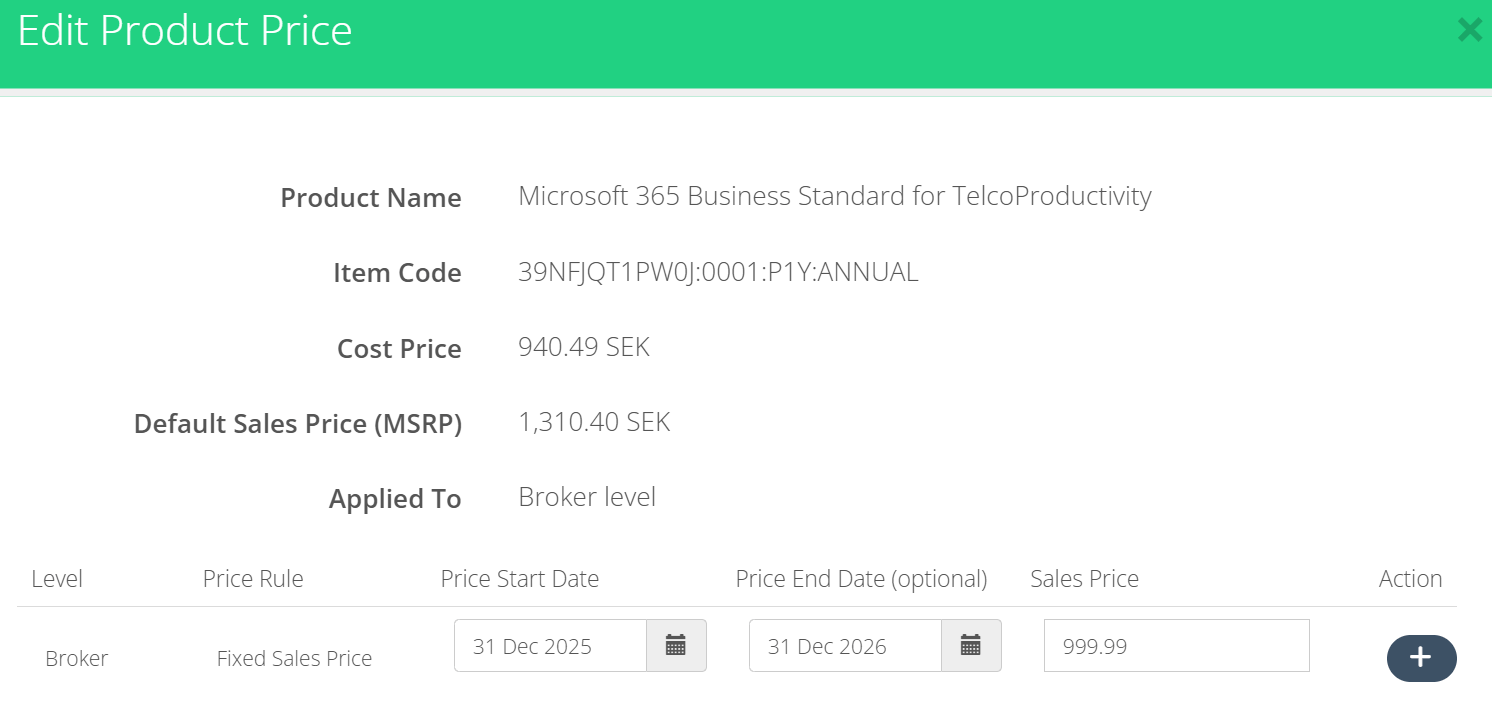
Price List dates

Keep in mind that the price start date cannot be in the past, as this might compromise the billing integrity. So, today or any future date can be the start date.

If you need to make changes to any subscription’s historical prices, please use the Subscription Price feature, which allows you to retroactively change prices of a single subscription.

Azure models distinguished in Billing Report export

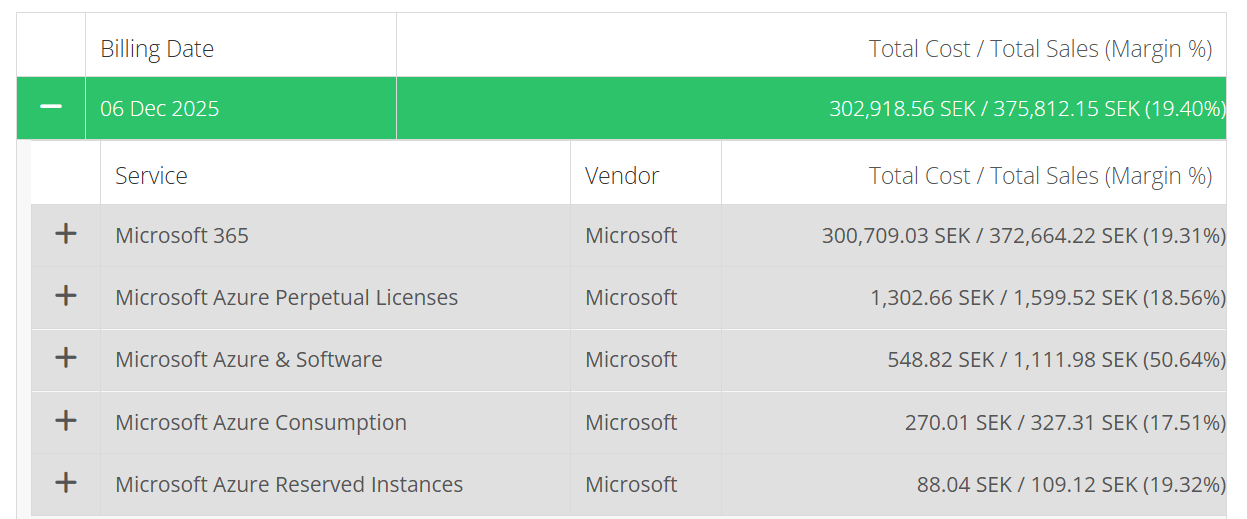
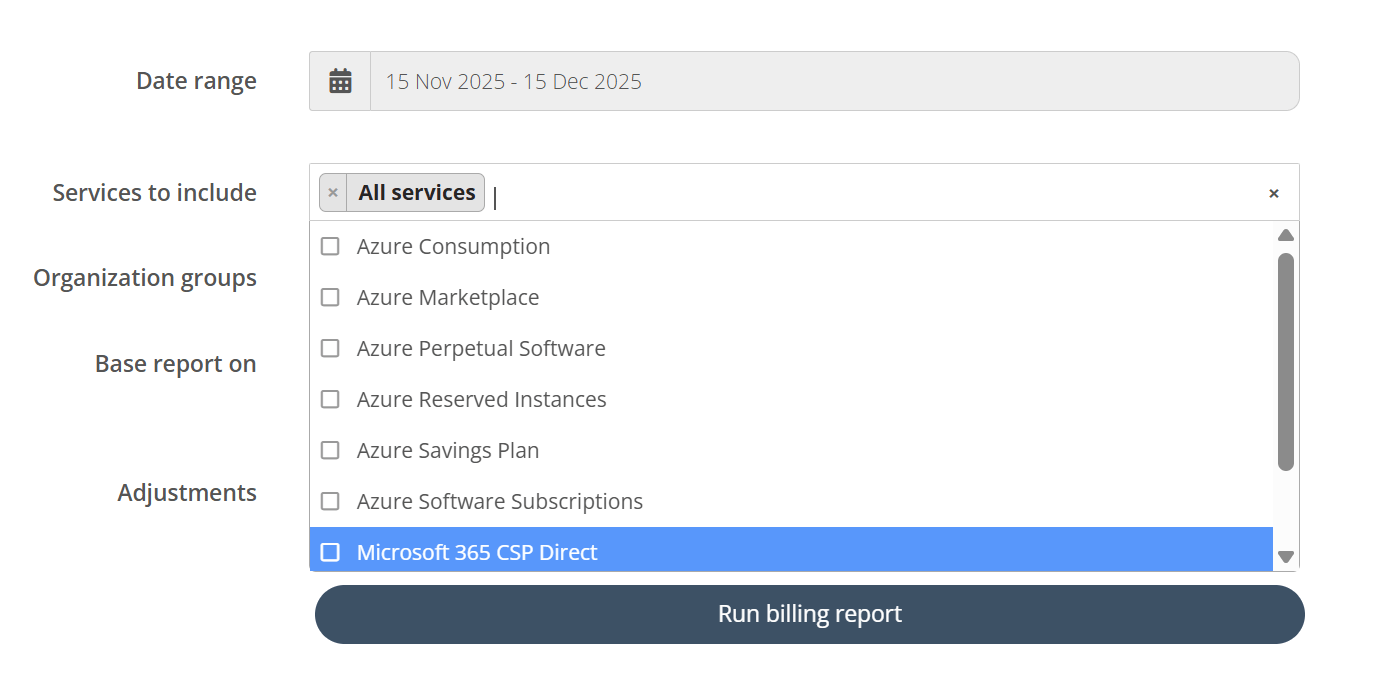
There might be cases where you need to view the billing for only Software Subscriptions. Or for Perpetual Software. You can now do so in the filters.

Azure models

And the “Run and Show” output gives you these models separately.

Azure models in billing run and show

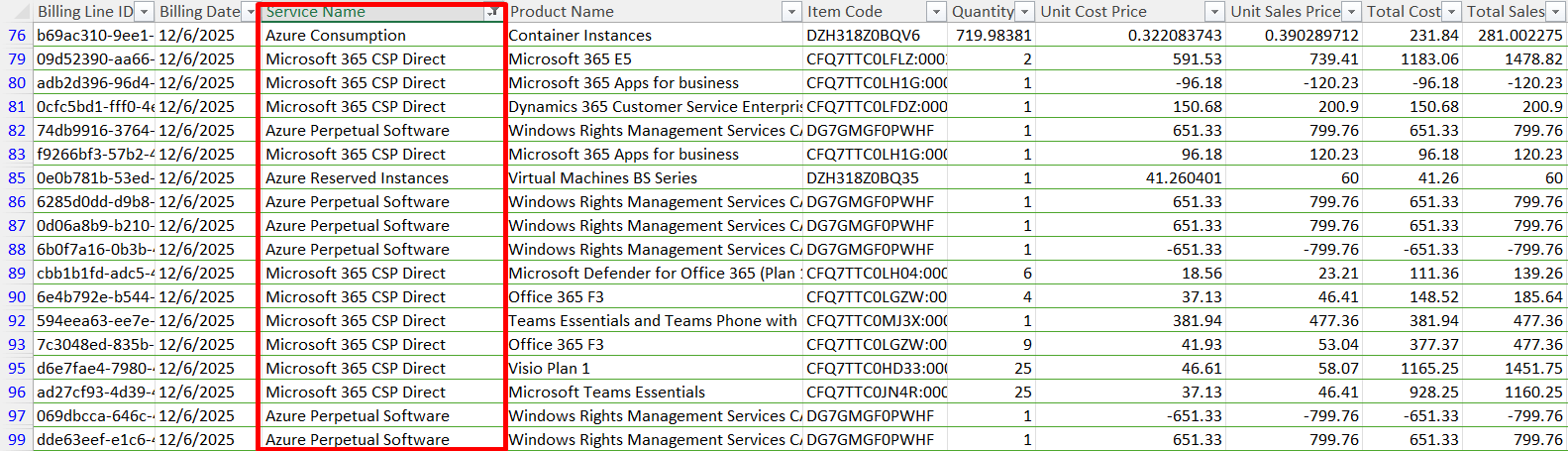
Or perhaps more commonly, you might want to categorize the Azure models in in the billing report export.

Azure models in export

This way, you can pivot, categorize and group your entire billing by Azure models, giving you a more granular overview of your revenue.

This can also help you in providing more detailed invoices for your customers. 

Separating the Approval Process settings from Organization creation process

The Approval Process is an important governance functionality, allowing you to roll out self-service with confidence.

Additionally, it helps you onboard new customers, and rest assured their approval settings will follow your normal approval process.

With this improvement, the Approval Settings is further asserted and applied when creating or importing new Organization, regardless of the creation method.

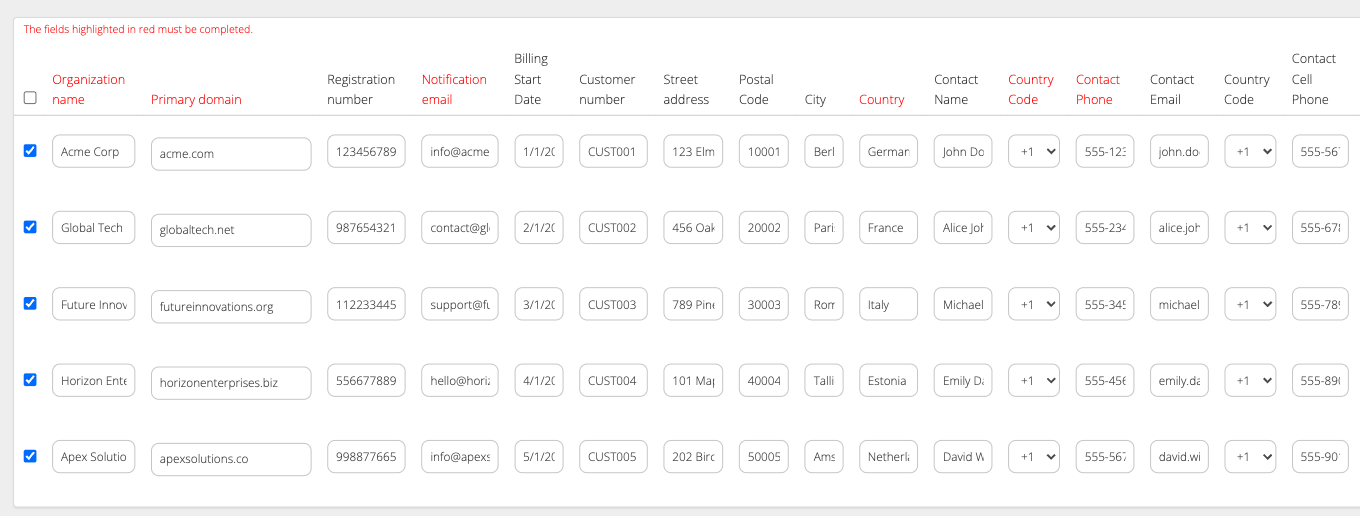
For instance, the Organization import and Create Organization forms will no longer feature any approval settings.

Organization import fields

All the Approval Settings are directly inherited from the Default Approval Settings. This also applies when creating Organizations with API requests or using Microsoft Tenant Linking.

This helps you remain consistent when configuring your governance settings across your customers. 

Get Email Notifications