Platform Update | July 2026

5 min read
July 31, 2026

New Billing Report APIs

There are several APIs for consuming billing data from Cloudmore programmatically and automatically.

The primary billing API has been an asynchronous one, forcing you to call an endpoint to start generating the billing, and then calling another endpoint to get the results.

With the new Billing Report APIs, the billing data is already pre-generated, giving you the ability to query the data instantly.

Additionally, the new Billing Report API endpoints have more flexible filters, for example you can specify:

  • Billing period start and end dates
  • Individual organizations or organization groups
  • Individual services to be included
  • The currency to convert the entire billing to
  • Cost centers to be included

Moreover, the new Billing Report APIs have aggregated data endpoints that can immediately give you the data summarized to a certain level.
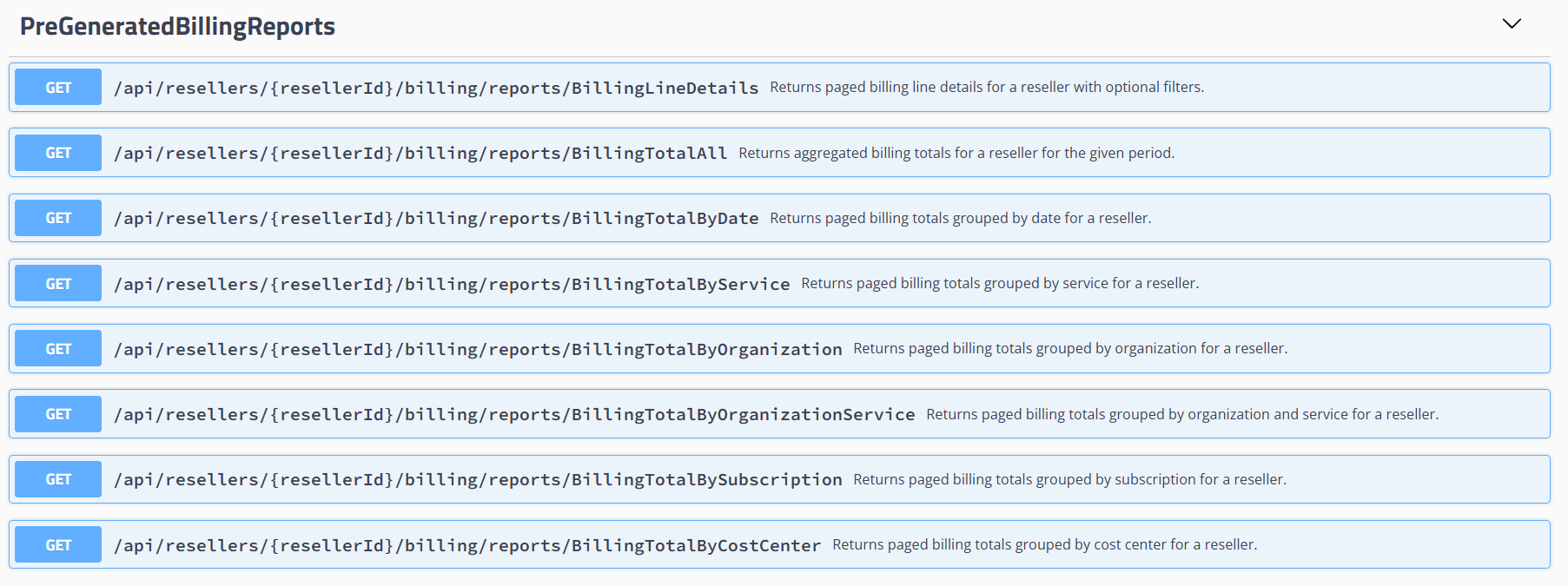
Billing APIs

For example, you can query the totals of services, customers, cost centers, even splits by Cost Centers. This allows you to build your own financial data visualization using these Billing APIs.

We strongly advise you to migrate to these new billing API, as they are:

  • Supported long term going forward (new features, maintenance)
  • Faster to retrieve results, as no billing data generation needs to happen upon request (billing data is already pre-generated)
  • Able to retrieve billing data for longer periods (determined by start and end date in request)
  • Able to include useful additional data (organization details, pricing details, Microsoft details, cost centers)
  • Used on Organization level by your customers (more on that below)

Read more about billing integrations

New Billing Reports on Organizations level

Similarly to the new Billing API endpoints using the new pre-generated billing data, the Organization level now has a new primary Billing Report. This Billing Report is also using the pre-generated billing data, the same as the new Billing APIs.

Having Broker level, Organization level and APIs be based on the exact same billing data ensures data consistency across the entire invoicing process and customer self-service.

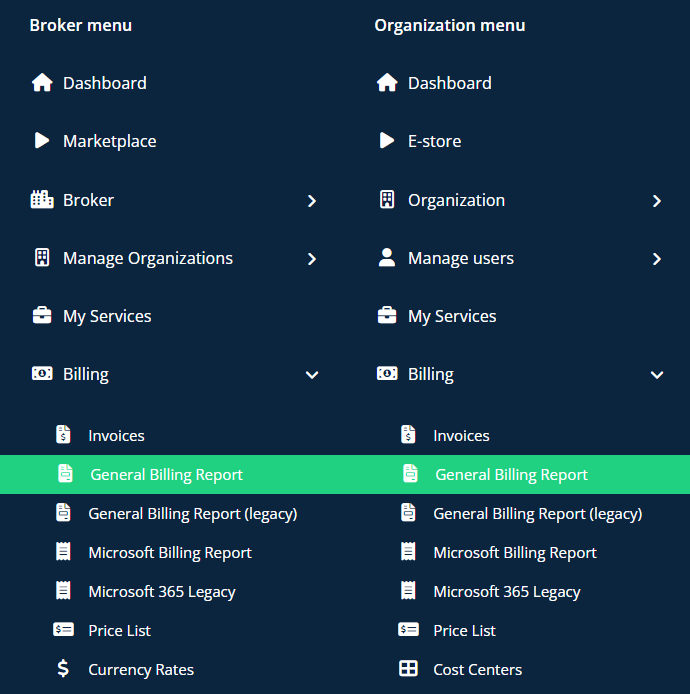
Broker and Org left side menu

On both Broker and Organization levels, the primary Billing Report is now the new pre-generated billing data report. The report labelled as “Legacy” is the old billing report which generates the billing data on demand. This still remains in the platform for a while as a back-up for getting billing data, but we really encourage to use the new reports and new APIs.

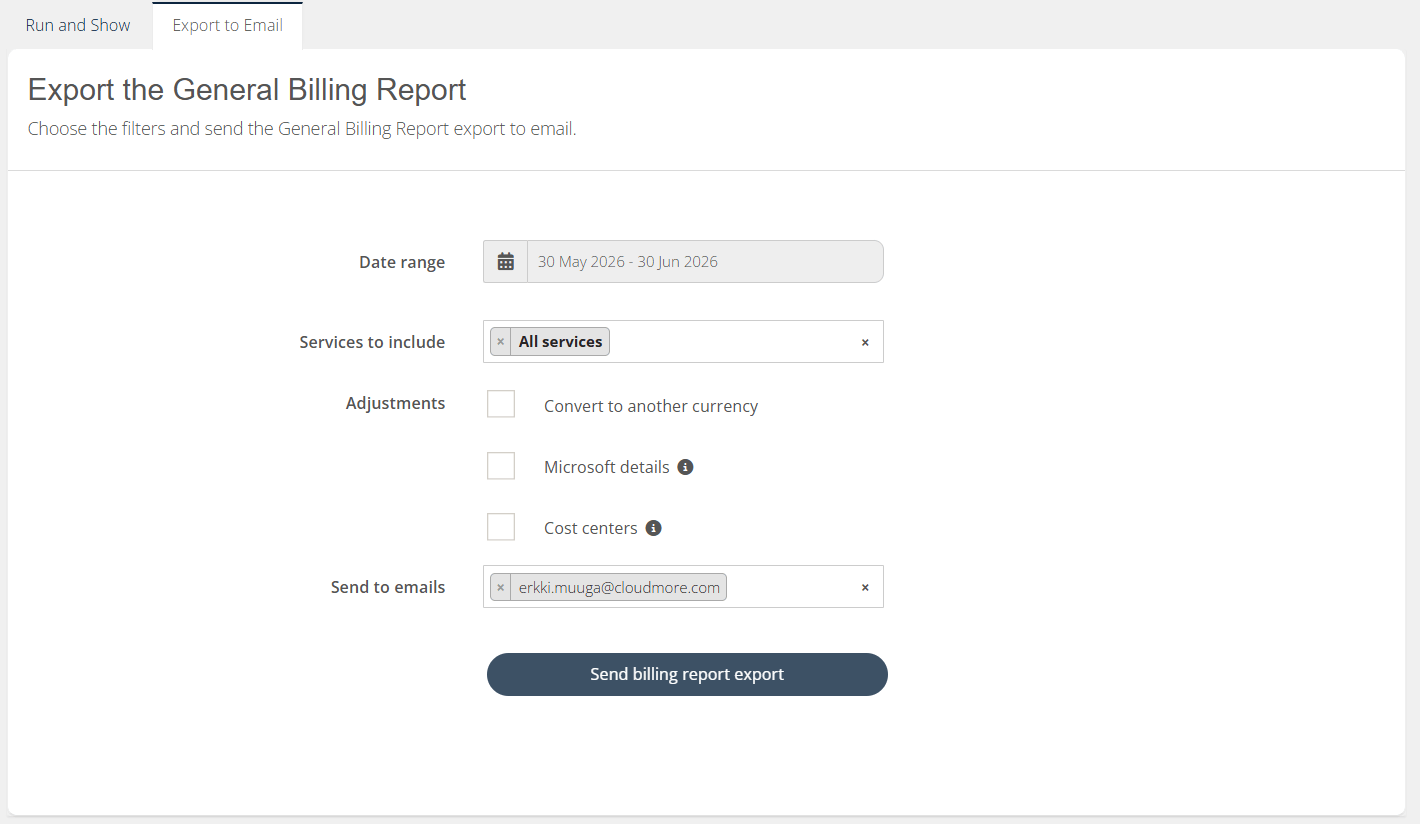
A big benefit for your customers for using the new Billing Report is that they can now include Cost Centers in their billing exports.

Organization billing export

Overall, the new Billing Report on Organization level has faster performance, easier export options and better user experience.

Read more about the general billing report

Organization Internal Approvals Process

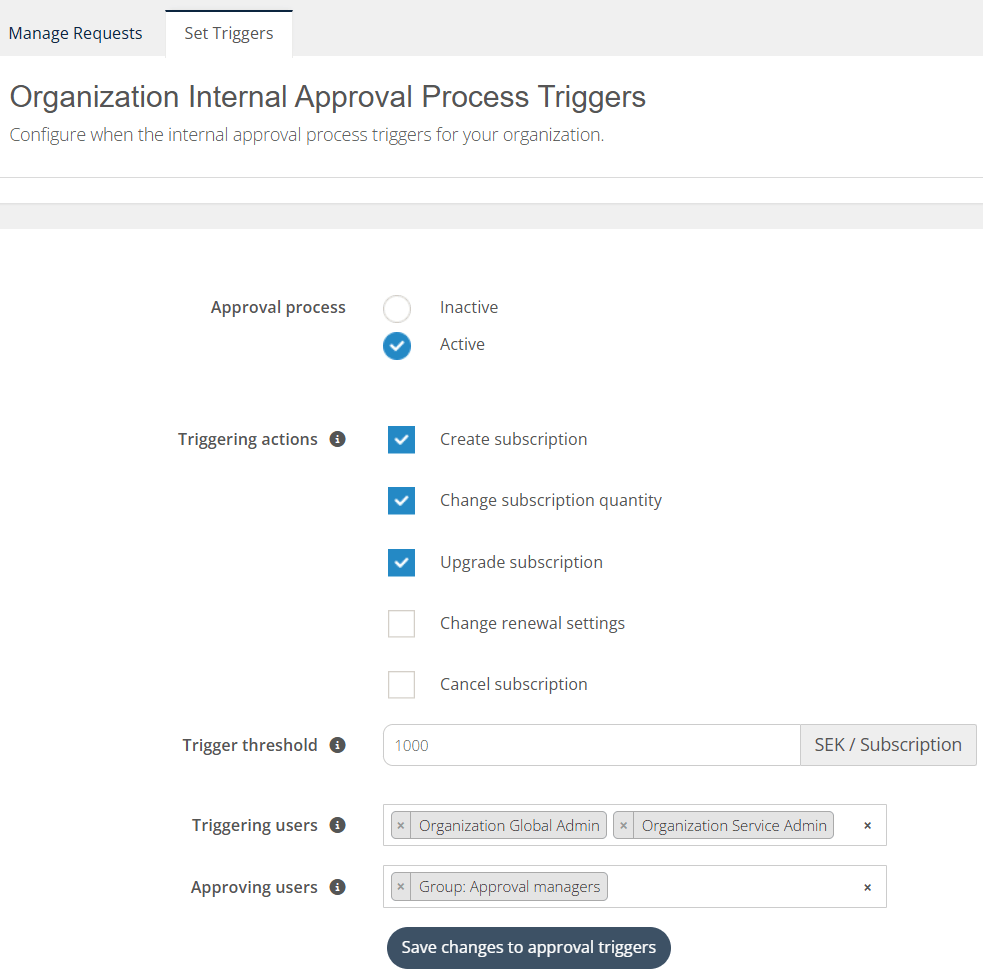
Continuing on the front of improvements around approvals and self-service, your customers can now set up their own internal approvals process.

This means, your customers can establish and set up their internal control mechanism and guardrails.

Your customers pick their own set of rules and thresholds for triggering the approval process, completely independent of your (Broker level) approvals process.

Organization internal approval triggers

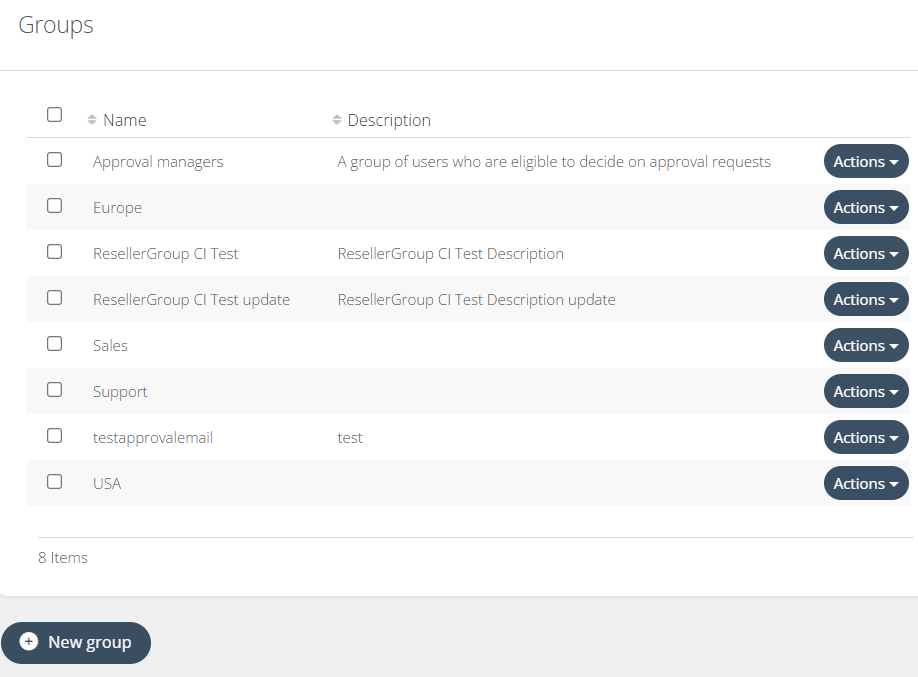
Additionally, Organizations can create user groups that can be assigned as “Approving users”. That means your customers can hand-pick individual people who are responsible for approving the transactions.

If Broker level approvals process is also set up, it will trigger only after the Organization Internal Approvals Process has been passed.

User groups

Read more about the organization level internal approval process

Role changes on Organization level

To better accommodate the Organization Internal Approvals Process, we have adjusted the Organization level user roles.

More specifically, we have changed a particular user role:

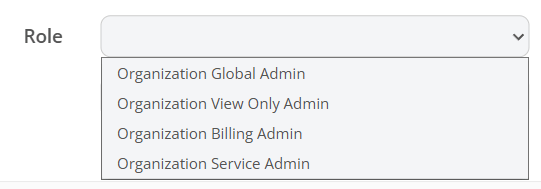
Organization User → Organization Service Admin

Previously, Organization User had no access to any pages. Basically, they could only log in, change their password, and log out. They had no access to any reporting or subscriptions management, only their own account settings. We have realized that this role was not very useful.

So, we have changed this role to a “Service Admin” role, giving them access to subscription management only.

Organization roles

 They will not have any access to billing, user management, or security settings. They only have access to subscriptions, approvals (viewing their own) and quoting. Their purpose is to adjust licenses and renewal settings, with added permission of viewing their own approval request statuses.  

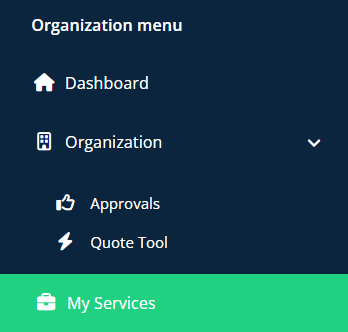
Service Admin menu

Read more about Organization level user roles

Role changes on Seller level

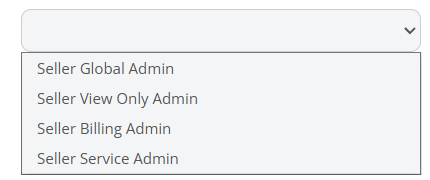
 Similarly, the Seller level also received a new role - Seller Service Admin.  

Seller roles

This role is able to manage services that are assigned to them.

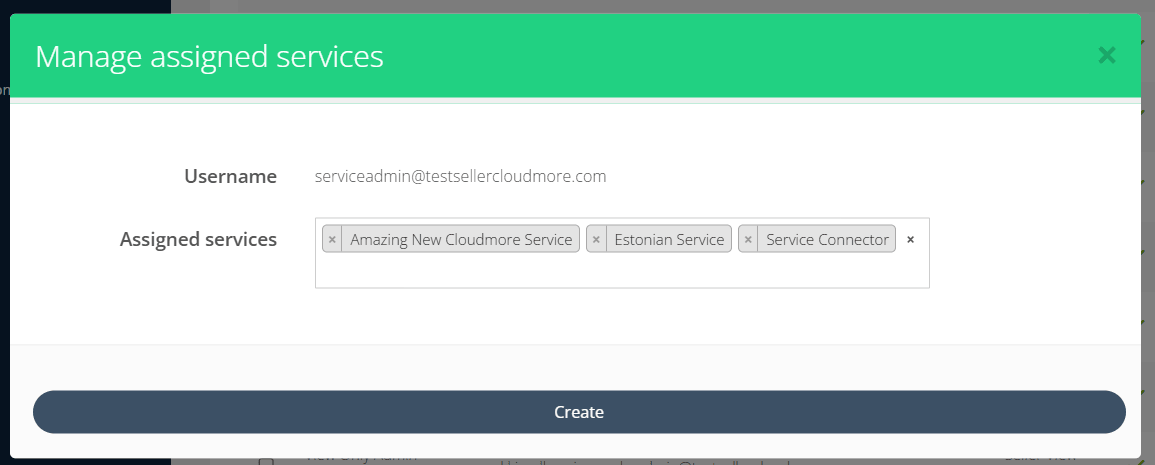
The Seller Global Admin is now able to assign services to users with Seller Service Admin role.

Manage assigned services modal

That Seller Service Admin user can change the service settings, add products, add-on, add marketing information and adjust distribution settings within these services.

Seller to Broker direct access

Additionally, Seller Global Admins are now able to directly access the Broker level for their Linked and Limited Brokers. This allows Seller to manage their Broker customers directly from the Seller account, without having to log out and log in with other credentials.

Seller account is able to access the Brokers' customers as well, giving them access to the Organization level. This makes navigation between subscriptions a lot more convenient.

Navigation menu

Read more about Seller level user roles

NCE Promotions in the Purchase Flow

You can now apply Microsoft NCE promotions directly when purchasing NCE seat-based products, helping you secure a bigger margin depending on the promotion's discount.

With this update, eligible promotions are surfaced right inside the NCE seat-based purchase flow, so you can apply the best available discount to your cost price without leaving the window.

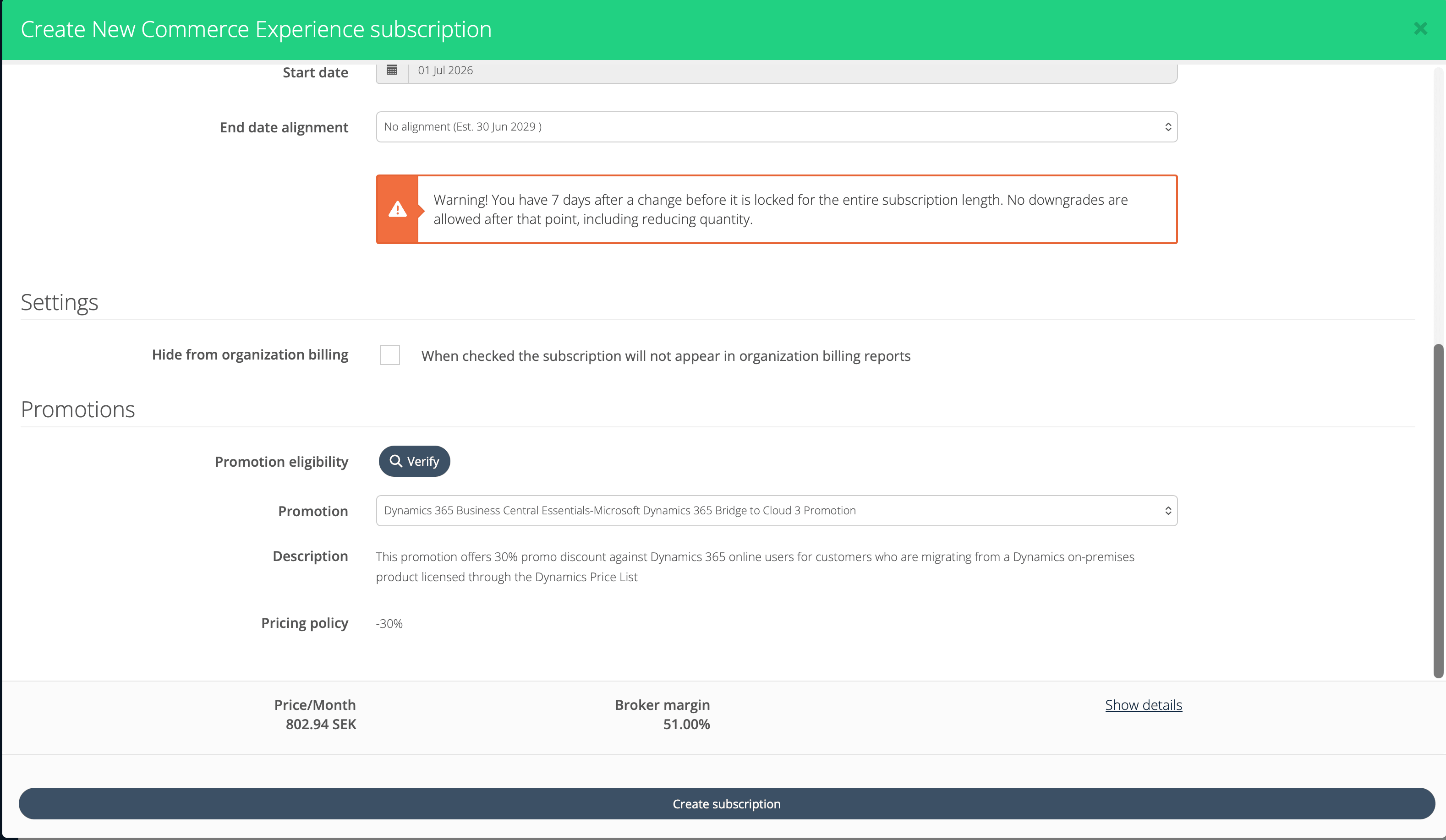
A new "Promotions" section now appears in the NCE seat-based purchase flow:

Create NCE subscription with promo
  • Click "Verify eligibility" to run an eligibility check for the selected product and your chosen subscription terms (subscription length, payment frequency, and quantity).
  • If eligible promotions are found, the "Promotion" dropdown appears, listing all promotions you qualify for.
  • The dropdown automatically pre-selects the promotion with the biggest discount in its pricing policy, so the best option is chosen for you by default.
  • The Description and Pricing policy of the selected promotion are shown on broker level so you can review the details before committing.

When you select a promotion, the discount is reflected directly on your Broker margin according to the promotion's pricing policy.

Note: The Price shown in the purchase flow window is not affected — this functionality reduces your (the Broker's/Partner's) cost price, which improves your margin rather than changing the customer-facing price. To adjust the customer-facing price, use standard price management as you would for any product. See Price Management.

A few helpful guardrails are built in:

  • If there are no eligible promotions after verifying, the section shows a clear note so you know there's nothing to apply.
  • If the promotion's start date is not today, a warning is displayed so you're aware of the timing before proceeding. This is due to the fact that eligibility can't be reliably determined for future start dates.

Overall, NCE promotions in the purchase flow give you a faster, clearer way to maximize your margin on Microsoft NCE seat-based subscriptions at the moment of purchase.

Get Email Notifications